• Mon - Fri 8.00 - 17.30 & Sat 9.00-14.00

Author Archives: admin

Categories Uncategorized

How Smartphones Are Changing Children’s Vision

Bright Screens, Blurry Eyes: How Smartphones Are Changing Children’s Vision

If you are a parent today, you already know the familiar glow of a smartphone illuminating your child’s face. Whether they are watching educational videos, playing games, or FaceTiming grandparents, screens have become an unavoidable part of modern childhood.

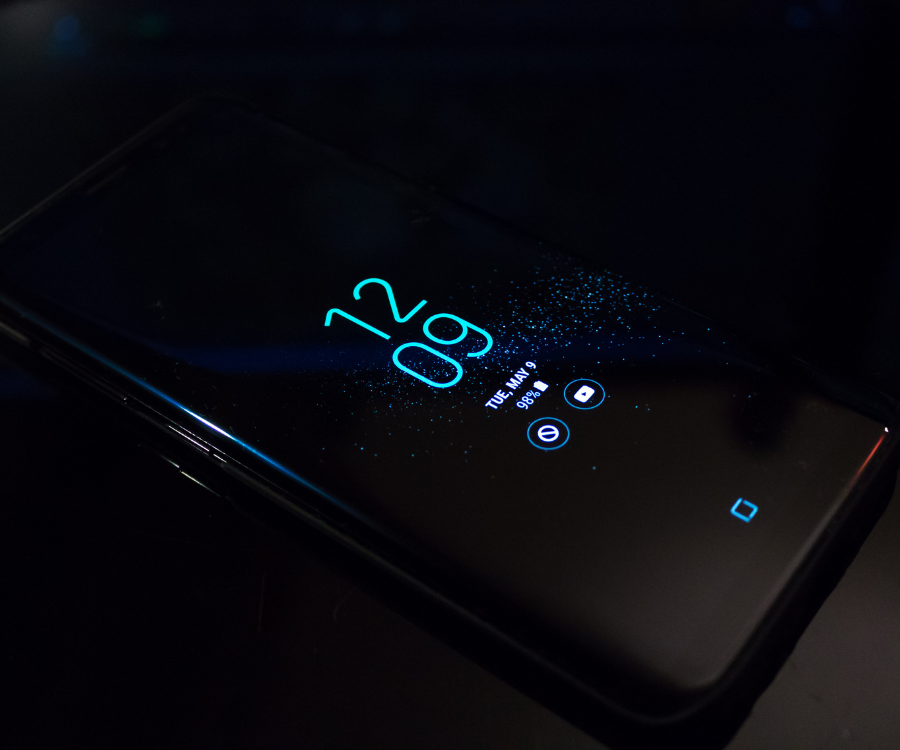
But while we often worry about how smartphones affect our kids’ attention spans or sleep schedules, there is another silent shift happening right in front of us: smartphones are fundamentally changing children’s vision.

With children today averaging upwards of 7.5 hours of daily recreational screen time, pediatric eye doctors are seeing a massive surge in vision issues that used to be rare in kids. Here is what the latest research says about how smartphones impact young eyes—and, more importantly, what you can do to protect them.

The “Myopia Boom”

Nearsightedness (myopia) is not a new condition, but the rate at which children are developing it is skyrocketing. Experts project that by 2050, roughly 40% of children and adolescents worldwide could be nearsighted.

Why the sudden spike? Our eyes were designed to view the world in natural light and focus on distant objects. When children hold smartphones just a few inches from their faces for hours on end, their eyes adapt to that close-up demand. Research shows that for every additional hour of daily screen time, a child’s risk of developing myopia increases by 21%. If a child already has myopia, excessive screen time can cause their vision to deteriorate even faster.

Furthermore, kids on smartphones are typically indoors. Exposure to natural daylight is actually critical for healthy eye development in children. The combination of intense “near work” (staring at a screen) and a lack of outdoor sunlight is the primary driver behind this modern myopia epidemic.

Digital Eye Strain and the “Blink Crisis”

If your child has ever complained of tired eyes or a headache after watching a movie on a tablet, they have likely experienced Digital Eye Strain (also known as Computer Vision Syndrome).

When we read a physical book, our eye muscles are relatively relaxed. But glowing pixels on a screen force the eyes to work significantly harder to maintain focus. This is compounded by how close children hold devices. While a book is typically held about 15 inches away, kids often bring smartphones much closer, forcing their eye muscles to turn inward and strain to keep the image clear.

There is also the issue of blinking. When humans stare at digital screens, our blink rate drops by nearly 50%. Because children become so hyper-focused on games or videos, they essentially “forget” to blink. This causes their tears to evaporate, leading to dry, gritty, and burning eyes.

Signs Your Child Is Struggling with Screen-Related Vision Issues

Children rarely understand that their vision is compromised. To them, blurry vision or eye fatigue might just feel “normal.” Keep an eye out for these behavioral red flags:

  • Frequent eye rubbing or blinking: A classic sign of dry, irritated eyes.
  • Squinting: Especially when trying to see the TV or read a sign in the distance.
  • Complaints of headaches: Often located around the forehead or temples, occurring after device use.
  • Holding devices too close: Bringing the phone just a few inches from their nose.
  • Loss of interest in reading: Eye fatigue can make focusing on physical books uncomfortable.

Actionable Ways to Protect Your Child’s Vision

You do not need to banish smartphones completely to protect your child’s eyesight. Simple, consistent habits make a massive difference.

1. Enforce the 20-20-20 Rule

This is the golden rule of modern eye care. Every 20 minutes, have your child look at something 20 feet away for at least 20 seconds. This brief break allows the eye muscles to completely relax and reset, breaking the cycle of constant tension.

2. Maximize Outdoor Playtime

Time spent outdoors is one of the most effective ways to slow the progression of myopia. The bright natural light helps the eye grow correctly, and being outside naturally forces children to focus on distant objects. Aim for at least one hour of outdoor play every day.

3. Create Physical Distance

Teach your child the “arm’s length” rule. Smartphones and tablets should ideally be held at least 15 to 20 inches away from the face. If they are watching a long video, cast it to the living room TV instead; the further away the screen is, the less the eye muscles have to strain.

4. Stick to Age-Appropriate Screen Limits

Leading health and vision experts generally recommend the following guidelines for daily recreational screen time:

  • Under 2 years: Zero screen time (except for video chatting).
  • 2 to 5 years: Less than one hour per day.
  • School-aged children (5+): Limit recreational screen time to 2 hours per day.

5. Schedule Annual Eye Exams

Because children often do not articulate vision problems, an annual pediatric eye exam is crucial. An eye doctor can detect early signs of digital eye strain or myopia progression long before your child starts squinting at the whiteboard in class.

Smartphones are incredible tools for learning and connection, but they demand a lot from developing eyes. By setting healthy boundaries, encouraging outdoor play, and taking frequent visual breaks, you can help your child navigate the digital world clearly and comfortably.

Categories Uncategorized

Best screen settings to reduce eye fatigue

Spending hours staring at a computer or phone screen is just a regular Tuesday for most of us. But if you’ve ever closed your laptop at the end of the day feeling like your eyes were full of sand, or nursing a dull headache right behind your temples, you’re dealing with digital eye strain.

Often, the biggest culprit isn’t the workload itself—it’s that your screen is firing at factory-default settings designed to pop on a retail shelf, not to be stared at for eight hours straight.

Optimizing your display settings is one of the fastest, most effective ways to reduce eye fatigue and keep your vision comfortable. Let’s walk through the changes that actually make a difference.

1. Brightness: The “White Paper” Test

The number one mistake people make is letting their monitor act as a primary light source. If you look at your screen in a dimly lit room and it illuminates your face like a flashlight, it’s too bright. Your eyes are constantly working overtime just to handle the intense glare.

The White Paper Test: Open a blank word document or a plain white webpage. Hold a physical piece of white copy paper right next to your monitor. If the screen looks brighter than the paper, turn the screen brightness down. If the screen looks dingy, gray, or dull, turn it up.

Your screen should seamlessly blend into the ambient lighting of the room rather than competing with it. For most standard office environments, dropping your brightness down to a range of 100 to 150 cd/m² (usually around 30% to 50% on your monitor’s built-in buttons) is the sweet spot.

2. Contrast: Keep Text Crisp, Not Blinding

Contrast controls the difference between the absolute darkest and absolute brightest parts of your screen.

  • If contrast is too low: Text looks faded, forcing your eyes to strain and squint just to make out the shapes of letters.
  • If contrast is too high: The stark contrast between deep blacks and glowing whites creates an aggressive edge that causes rapid fatigue.

Aim for a moderate contrast setting—usually between 60% and 70%. You want black text to look truly black and white backgrounds to look soft, without bleeding light into the edges of the words.

3. Color Temperature: Shift to Warmer Tones

Default screens emit a heavy dose of short-wavelength blue light, which mimics daylight. While this is great for staying alert at 9:00 AM, it causes considerable visual fatigue over time and messes with your sleep cycles if used past sunset.

You don’t need expensive blue-light glasses to fix this. Your operating system has powerful built-in tools that shift your screen to a warmer, amber-toned palette:

  • Windows: Search for Night Light in your settings.
  • Mac & iOS: Turn on Night Shift.
  • Android: Look for Eye Comfort Shield or Night Light.

Set these features to a custom schedule—or better yet, set them to automatically transition from sunset to sunrise. Shifting your screen temperature down from a cool 6500K to a warmer 5000K can slash total blue light output significantly, immediately relaxing your eye muscles.

4. Text Scaling and Resolution: Stop Leaning In

If you find yourself constantly leaning your head forward to read fine print, your settings are actively throwing off both your eye health and your posture.

First, ensure your display is set to its Native Resolution (marked as “Recommended” in your system settings). This keeps fonts mathematically sharp. To make things bigger, never drop the resolution—instead, use Display Scaling.

  • Go to your system’s display settings and look for Scale and Layout.
  • Bump the text scaling up to 125% or 150% depending on your monitor size.
  • Aim for a baseline font size of at least 12-point inside your applications. If it’s still too small, zoom in via your web browser instead of craning your neck.

Summarizing Your Ideal Eye-Care Monitor Settings

Display FactorRecommended Target SettingWhy It Helps
BrightnessMatched to ambient room light (~30–50%)Eliminates harsh glare and squinting
ContrastMid-range (60%–70%)Keeps text sharp without blinding whites
Color TempWarmer tones (Night Shift / Night Light active)Reduces high-energy blue light strain
Scaling125%–150% (Native Resolution)Prevents leaning forward and neck strain
Refresh Rate75 Hz or higher (if supported)Smoothes out motion and reduces hidden flicker

Beyond the Settings: The Physical Workspace

No software setting can completely undo a bad physical setup. To give your eyes the best environment to succeed, check these three spatial markers:

  • The Arm’s Length Rule: Your screen should sit roughly 20 to 30 inches away from your eyes—about the distance of a relaxed arm’s length.
  • The Gaze Angle: The top of your monitor should sit at or slightly below eye level. Looking slightly downward (about 15 to 20 degrees) ensures less of your eyeball surface is exposed to the air, which dramatically cuts down on dry eyes.
  • Flicker-Free Technology: If you are in the market for a new monitor, look for panels specifically labeled as Flicker-Free or utilizing DC Dimming. Standard screens pulse their backlights to manage brightness, creating an invisible strobe effect that exhausts your eye muscles even if you can’t consciously see it.

Finally, don’t forget the classic 20-20-20 rule: every 20 minutes, take a 20-second break to look at something at least 20 feet away. Combined with a balanced, warm, scaled screen setup, your eyes will finish the workday feeling just as fresh as when you opened your first email.

Categories Uncategorized

Can Poor Vision Affect Academic Performance?

Can Poor Vision Affect Academic Performance? What Parents and Educators Need to Know

If your child is struggling in school, it’s natural to wonder why. Are the classes too hard? Are they distracted? Could it be a learning disability? While these are all valid questions, one of the most common—and overlooked—culprits behind poor academic performance is actually undiagnosed vision problems.

We often assume that if a child can see a ball across a field, their vision is fine. But classroom learning demands highly specific visual skills. When those skills aren’t working properly, a child’s education can take a massive hit.

Here is exactly how eyesight affects learning, the hidden signs of poor vision, and why a standard school screening might not be enough.

Why Vision is the Foundation of Learning

Experts estimate that roughly 80% of what a child learns in school is presented visually. From reading a textbook and copying notes from a whiteboard to interacting with a tablet, a student’s eyes are constantly working.

To succeed academically, a child needs more than just 20/20 visual acuity (the ability to see letters on a chart from 20 feet away). They also require a complex set of visual skills:

  • Eye Tracking: The ability to move the eyes smoothly across a page without losing their place.
  • Eye Teaming: The ability of both eyes to work perfectly together. If they don’t, the brain receives two different images, leading to double vision or eye strain.
  • Focusing: The ability to quickly shift focus from a distant object (like a teacher) to a near object (like a notebook) without blurring.
  • Visual Perception: The brain’s ability to understand and make sense of what the eyes are seeing.

When even one of these systems falters, reading and writing go from being effortless tasks to exhausting challenges.

The ADHD Misdiagnosis: Is It Attention or Vision?

One of the most tragic consequences of poor vision in children is misdiagnosis. Vision problems share an alarming number of symptoms with Attention Deficit Hyperactivity Disorder (ADHD) and learning disabilities like dyslexia.

Imagine trying to read a book where the words constantly blur, swim around the page, or double. Within ten minutes, your eyes ache and you get a headache. What do you do? You stop reading. You fidget. You look out the window. You become disruptive.

To a teacher or parent, this looks exactly like an attention or behavioral issue. In reality, the child is simply trying to escape the physical discomfort of an uncorrected vision problem.

6 Hidden Signs Your Child Might Have a Vision Problem

Children rarely complain about poor vision because they don’t know what “normal” vision is supposed to look like. They assume everyone’s eyes get tired when they read.

Keep an eye out for these behavioral red flags:

  1. Losing their place while reading: Frequently using a finger to track words or skipping lines altogether.
  2. Physical complaints: Frequent headaches, rubbing eyes, or complaining of tired eyes after school.
  3. Avoidance: A sudden or ongoing reluctance to read, do homework, or engage in near-vision tasks.
  4. Awkward posture: Tilting the head to one side, covering one eye, or holding books unusually close to the face.
  5. Poor reading comprehension: Being able to read the words aloud but struggling to remember what they just read (because all their brain power is going toward simply focusing their eyes).
  6. Short attention span: Rapidly losing interest in visually demanding tasks.

Why the School Eye Screening Isn’t Enough

Many parents rely on the annual vision screening provided by the school to catch eye problems. While these screenings are well-intentioned, they are essentially the tip of the iceberg.

School screenings typically only test distance vision using a standard Snellen chart. They do not test for eye tracking, focusing, teaming, or color blindness. A child can easily pass a school eye screening with flying colors and still have a severe vision problem that makes reading nearly impossible.

The Solution: Comprehensive Eye Exams

The only way to truly rule out vision as a barrier to your child’s academic success is to schedule a comprehensive eye exam with an optometrist or pediatric ophthalmologist. These professionals have the tools to test the complete visual system, not just distance acuity.

If an issue is found, the solution might be as simple as prescription glasses. In other cases, vision therapy—a customized program of eye exercises designed to strengthen the brain-eye connection—can yield life-changing results.

The Bottom Line

Can poor vision affect academic performance? Absolutely. In fact, it’s one of the most significant barriers to a child reaching their full potential. If your child is working hard but still falling behind, don’t just hire a tutor or assume they lack focus. Start by checking their eyes. Giving a child the gift of clear, comfortable vision might just be the key to unlocking their academic success.

Categories Uncategorized

Advanced Lens Technology: What’s New in 2026

1. Next-Gen Intraocular Lenses (IOLs): The Death of the “Halo”

For years, undergoing cataract surgery or refractive lens exchange meant making a difficult choice. You could choose standard monofocal lenses (which offer crisp distance vision but require reading glasses) or multifocal lenses (which provide a wider range of vision but often cause frustrating night-time halos and glare).

In 2026, premium IOL technology has solved this compromise through two major advancements:

Extended Depth of Focus (EDOF) & Ring-less Lenses

Rather than splitting light into harsh, distinct focal points, modern EDOF lenses stretch light into a continuous, smooth zone of vision.

  • The 2026 Breakthrough: New “ring-less” spiral and non-diffractive wavefront-shaping designs (such as the Alcon Vivity, TECNIS PureSee, and the newly rolling out Bausch + Lomb LuxSmart) deliver excellent distance and intermediate (computer-length) clarity.
  • The Benefit: They achieve this with a night-vision profile almost identical to a basic monofocal lens—meaning night driving is no longer a stressful, glare-filled ordeal.

True Full-Range Trifocals

For patients whose absolute priority is total independence from glasses (including reading tiny print), upgraded diffractive trifocal lenses like the Clareon PanOptix Pro and TECNIS Odyssey feature advanced optical coatings that significantly reduce light scattering. The brain adapts to these lenses faster than ever before, a process known as neuroadaptation.

Lens TypeBest ForTypical Range of VisionNight Vision Profile
MonofocalBudget-conscious, frequent night driversDistance only (Requires reading glasses)Excellent (No halos)
EDOF (Non-Diffractive)Screen workers, active lifestyles, night driversContinuous Distance & IntermediateNear-Monofocal Quality
Trifocal / Full-RangeMaximum freedom from glassesDistance, Intermediate, & Fine Near PrintMild to Moderate Halos initially

2. Contact Lenses: Ultimate Breathability and Built-In Tech

If you prefer contacts over surgery, 2026 has brought incredible upgrades to your daily wear, driven by advanced material sciences.

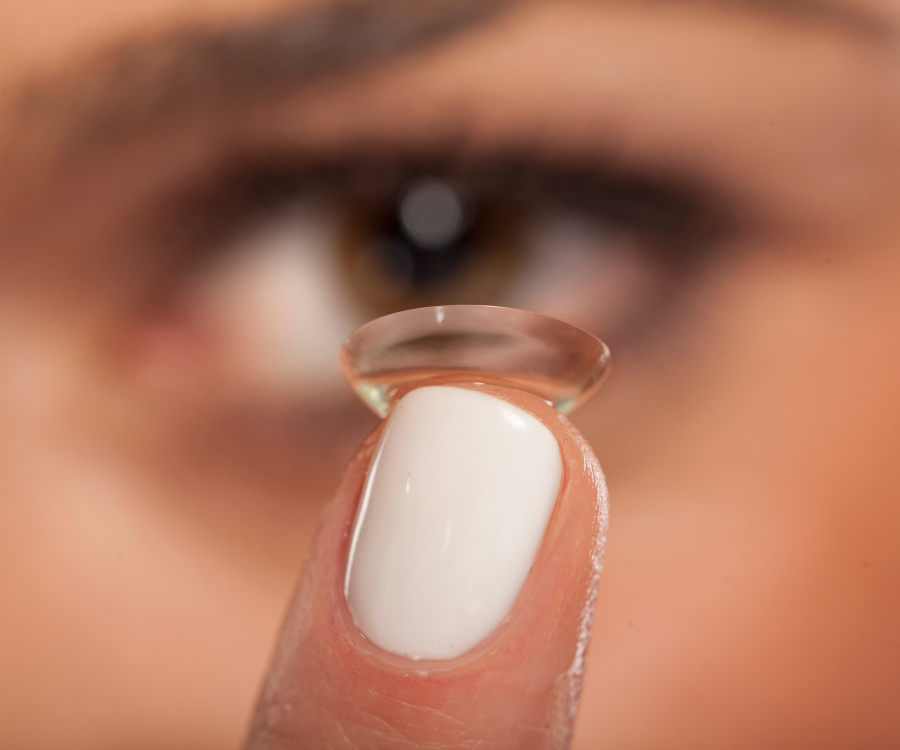
  • Hyper-Oxygenated Silicone Hydrogels: The newest generation of daily disposable contacts boasts unprecedented oxygen permeability. By allowing the cornea to “breathe” effortlessly, these lenses drastically reduce late-day dryness, redness, and the foreign-body sensation that plagues sensitive eyes.
  • Integrated Blue Light Optimization: Forget bulky computer glasses. High-end contact lenses now feature embedded, completely clear blue light filtering. They shield your eyes from digital eye strain and prevent screen-induced sleep disruption without altering how you perceive real-world colors.
  • Smart Health Monitoring: Currently making waves in clinical circles are smart contact lenses equipped with micro-sensors. These non-invasive lenses can track intraocular pressure (a lifesaver for early glaucoma management) and monitor glucose levels via tear fluid.

3. High-Tech Eyeglass Lenses: Smart Tech Meets Eco-Conscious Design

Eyeglass lenses in 2026 are working harder than ever to protect your eye health while remaining practically invisible.

Wavefront Customization: Optometrists are now utilizing cutting-edge diagnostic equipment, like the ZEISS VISUREF 1000, to map microscopic imperfections in your cornea. This data is used to print highly customized lenses that optimize your contrast sensitivity, making colors look hyper-vivid and reducing glare in low-light environments.

  • Ultra-Fast Photochromic Transitions: The latest transition lenses adapt to changing sunlight levels faster than ever. They shift from crystal clear indoors to a deep protective tint outdoors in a matter of seconds, avoiding that awkward “half-tinted” phase inside.
  • Bio-Synthetic and Recyclable Lenses: Aligning with a massive industry push toward sustainability, eco-friendly lens materials derived from plant-based composites and biodegradable acetates are replacing petroleum-based plastics without sacrificing scratch resistance or optical clarity.

How to Choose the Right Lens for Your Lifestyle

With so many advanced options available, the “best” lens is entirely dependent on your daily routine. Ask yourself these key questions before your next eye appointment:

  1. What does your workday look like? If you are staring at a computer or tablet for eight hours a day, an EDOF implant or a blue-light-filtering contact lens is essential.
  2. Do you drive frequently at night? If so, you will want to prioritize non-diffractive lens designs that avoid light rings and halos.
  3. Are you okay wearing glasses occasionally? If you don’t mind popping on a pair of cheap readers for fine print, a non-diffractive EDOF lens will give you the most natural visual transition. If you want to abandon glasses completely, a trifocal is your best bet.

Your vision is irreplaceable. Schedule a comprehensive consultation with your eye care professional or ophthalmologist to get an advanced corneal mapping and find the exact 2026 lens technology tailored to your unique anatomy.