• Mon - Fri 8.00 - 17.30 & Sat 9.00-14.00

Author Archives: admin

Categories Uncategorized

Why Blinking Less Could Be Damaging Your Eyes

Why Blinking Less Could Be Damaging Your Eyes (And How to Fix It)

Most people take blinking for granted. It happens automatically roughly 15 to 20 times per minute under normal conditions—amounting to over 14,000 involuntary wipes a day.

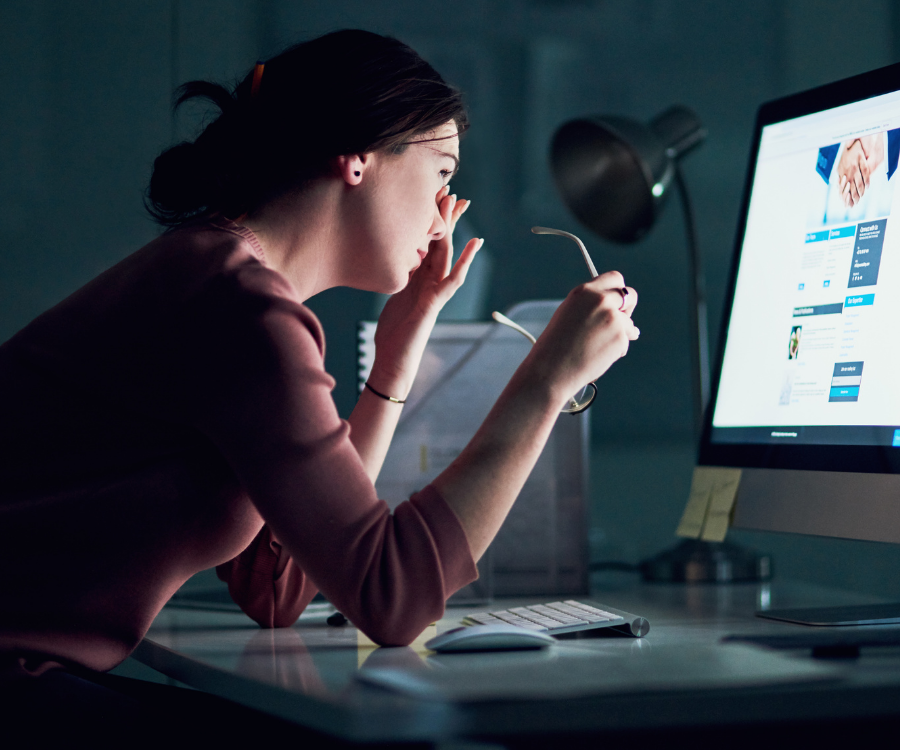
When staring at a computer monitor, smartphone, or television screen, that blink rate drops by up to 60%.

This phenomenon, often grouped under Digital Eye Strain or Computer Vision Syndrome, is more than just a minor inconvenience. Chronic under-blinking directly compromises the ocular surface and can trigger long-term vision and comfort issues.

What Actually Happens When You Blink

Blinking serves as the eye’s built-in maintenance system. Each full eyelid closure performs three critical functions:

  1. Spreads a Fresh Tear Film: Every blink coats the cornea with a microscopic three-layer shield consisting of mucin (to help tears adhere), aqueous water (to hydrate and deliver oxygen), and lipids (oils to prevent quick evaporation).
  2. Clears Debris: It washes away dust, allergens, and cellular waste into the tear ducts.
  3. Stimulates Oil Production: The mechanical squeeze of an eyelid activates the Meibomian glands along the eyelid margins, releasing the essential oils needed to seal the tear film.

When you stare intently at pixels, you do not just blink less often—you also perform more incomplete blinks, where the upper eyelid fails to touch the lower lid.

The Hidden Costs of Infrequent Blinking

ProblemPhysiological CauseCommon Symptoms
Evaporative Dry EyeLack of lipid renewal allows the aqueous tear layer to evaporate rapidly.Gritty sensation, burning, stinging, or redness.
Paradoxical Watery EyesDryness irritates corneal nerves, triggering an emergency flood of watery reflex tears that lack lubricating oils.Excessive tearing that fails to soothe dryness.
Meibomian Gland Dysfunction (MGD)Incomplete blinking leaves gland openings stagnant, causing oils to thicken and clog over time.Chronic irritation, crusty eyelid margins, inflammation.
Fluctuating Blurred VisionAn uneven, broken tear film distorts light before it even hits the cornea.Vision goes blurry while reading or working, clearing temporarily after a hard blink.

Practical Ways to Restore Healthy Blinking Habits

1. Master the 20-20-20 Rule

Every 20 minutes, look away from your screen at an object at least 20 feet away (around 6 meters) for 20 seconds. This relaxes the eye’s ciliary focusing muscle and naturally resets your baseline blink cadence.

2. Practice Deliberate Blink Breaks

If you work long hours on digital displays, perform intentional blink exercises twice a day:

  • Close your eyes normally for 2 seconds.
  • Open them.
  • Close your eyes again, gently squeezing the lids together for 2 seconds to express the meibomian oils.
  • Repeat 5 times per session.

3. Lower Your Screen Height

Position your monitor slightly below eye level (about 15 to 20 degrees). Looking slightly downward reduces the exposed surface area of the ocular globe, substantially cutting down the rate of tear evaporation.

4. Optimize Your Environment

  • Hydrate: Keep adequate water intake throughout the workday.
  • Humidify: Use a desktop humidifier if working in air-conditioned or heated rooms.
  • Redirect Airflow: Ensure desk fans, air conditioning vents, and car heaters are not blowing directly toward your face.
  • Use Preservative-Free Lubricating Drops: Artificial tears can provide barrier support during intensive screen sessions (avoid medicated “redness-reliever” drops for daily dryness).

If gritty sensations, burning, or intermittent blurriness persist despite adjusting your work habits, schedule an evaluation with an optometrist or ophthalmologist to check for underlying Meibomian Gland Dysfunction or chronic dry eye disease.

Categories Uncategorized

Can Your Smartwatch Tell You Anything About Your Eye Health?

Can Your Smartwatch Tell You Anything About Your Eye Health?

Smartwatches have transformed from high-tech step counters into legitimate wellness hubs. With a quick glance at your wrist, you can check your heart rate, review last night’s sleep stages, or track your stress levels.

Can your smartwatch tell you anything about your eye health?

The short answer is: Yes, but indirectly.

While Apple Watches, Galaxy Watches, and Fitbits cannot peer into your pupil or measure intraocular pressure, they can track crucial systemic health indicators that directly impact your vision. From blood sugar trends to sleep quality, your wristwear collects data that could alert you to vision risks long before symptoms show up.

The Hidden Link Between Wrist Metrics and Vision

Your eyes rely on a complex network of tiny blood vessels and nerves. Because the retina is closely tied to your cardiovascular, nervous, and metabolic systems, the general health data your watch collects can serve as an early warning system for your eyes.

Here is how modern smartwatch features connect to ocular health:

1. Blood Pressure & Cardiovascular Tracking

  • The Metric: Heart rate monitoring, ECG features, and blood pressure estimation.
  • The Eye Connection: High blood pressure damages the delicate blood vessels supplying your retina, leading to hypertensive retinopathy or retinal vein occlusion. Additionally, irregular heart rhythms like atrial fibrillation increase the risk of ocular strokes (retinal artery occlusion).
  • The Takeaway: Catching cardiovascular spikes on your wrist allows you to manage hypertension before it causes permanent visual field loss.

2. Metabolic Health & Continuous Glucose Syncing

  • The Metric: Biosensor syncs, activity logging, and metabolic tracking.
  • The Eye Connection: Uncontrolled blood sugar is the leading cause of diabetic retinopathy—a condition where damaged blood vessels leak fluid into the retina. Many modern smartwatches and smart bands now integrate directly with Continuous Glucose Monitors (CGMs), letting you view real-time sugar fluctuations on your watch face.
  • The Takeaway: Stable blood sugar means stable ocular blood vessels.

3. Sleep Tracking & Sleep Apnea Alerts

  • The Metric: Sleep duration, sleep architecture (REM vs. Deep), and FDA-cleared sleep apnea notifications.
  • The Eye Connection: Poor sleep and Obstructive Sleep Apnea (OSA) cause chronic low oxygen levels and inflammation. OSA is strongly linked to severe eye conditions, including:
    • Glaucoma: Increased pressure and reduced blood flow damage the optic nerve.
    • NAION (Non-Arteritic Anterior Ischemic Optic Neuropathy): Sudden, painless vision loss caused by poor blood flow to the optic nerve.
    • Floppy Eyelid Syndrome & Severe Dry Eye.
  • The Takeaway: If your watch repeatedly flags poor sleep or oxygen dips, an evaluation could save your vision as well as your rest.

4. Ambient Light & Outdoor Time Monitoring

  • The Metric: Ambient light sensors and outdoor time tracking (featured prominently on Apple Watch and Garmin).
  • The Eye Connection: Studies show that spending at least 80–120 minutes outdoors daily in natural sunlight significantly reduces the risk and progression of myopia (nearsightedness) in children and young adults.
  • The Takeaway: Parents can use smartwatch outdoor exposure metrics to ensure kids are getting enough natural sunlight to slow down vision changes.

5. Stress Markers (Heart Rate Variability)

  • The Metric: HRV and stress tracking.
  • The Eye Connection: High physiological stress spikes cortisol and adrenaline. Chronic stress can trigger Central Serous Chorioretinopathy (CSCR)—a condition where fluid accumulates under the retina, causing temporary blurs or distortions. Elevated stress can also temporarily increase intraocular pressure.

What Smartwatches CANNOT Do

It is vital to understand the limits of consumer wearables. A smartwatch is a daily wellness companion, not a medical diagnostic tool for the eyes.

What Your Smartwatch CAN TrackWhat Your Smartwatch CANNOT Do
Systemic risk factors (BP, glucose, sleep)Measure Intraocular Pressure (IOP)
Outdoor sunlight durationDetect retinal tears or detachments
Physical activity and metabolic trendsCheck visual acuity or refractive error
Heart rhythm irregularitiesDiagnose cataracts, macular degeneration, or glaucoma

Note: Dedicated medical wearables—like sensor-embedded smart contact lenses that track 24-hour intraocular pressure or specialized eye-tracking glasses—are being developed for clinical use. However, standard wrist-worn smartwatches do not feature these optical sensors.

How to Use Your Smartwatch Data at the Eye Clinic

Your smartwatch data provides helpful context for your eye care professional. Here is how to make the most of it:

  1. Share Sleep & Blood Pressure Patterns: If you are being treated for glaucoma or unexplained optic nerve changes, let your doctor know if your watch shows low nighttime oxygen or high blood pressure spikes.
  2. Review Metabolic Logs: If you have diabetes, bringing 30-day glucose sync trends to your annual dilated eye exam gives your optometrist a clearer picture of your vascular risk.
  3. Set Screen Break Reminders: Use your watch’s haptic timer to practice the 20-20-20 rule (every 20 minutes, look at something 20 feet away for 20 seconds) to prevent digital eye strain and dry eye.

The Verdict

While your smartwatch can’t replace a comprehensive dilated eye exam, it acts as an early detection bridge. By highlighting broader systemic issues like hypertension, poor sleep, and blood sugar spikes, your wristwear provides clues that help protect your sight long before vision loss occurs.

Categories Uncategorized

Tips to Reduce Eye Fatigue During Long Screen Sessions

If you spend four or more hours a day in front of a computer, tablet, or smartphone, you’ve likely experienced it: that heavy, dry, throbbing feeling behind your eyes by mid-afternoon.

Known clinically as computer vision syndrome or digital eye strain, eye fatigue has become an almost universal modern complaint. Staring at glowing displays forces our ciliary muscles—the tiny muscles that focus your lenses—to hold a continuous contraction, while our blink rate plummets by up to 50%.

The good news? You don’t need to quit your job or ditch your devices to get relief. Simple, targeted adjustments to your workspace and habits can dramatically reduce discomfort. Here are practical, actionable tips to protect your vision during long screen sessions.

1. Master the 20-20-20 Rule

The most effective weapon against digital eye fatigue is the 20-20-20 rule, recommended by optometrists worldwide.

  • How it works: Every 20 minutes, take a 20-second break and focus on an object at least 20 feet away.
  • Why it helps: Focusing on nearby objects requires active muscular effort in the eye. Looking into the distance allows those internal muscles to relax completely, resetting your focus mechanism.

Pro Tip: Set a subtle background timer using apps like Stretchly or EyeCare, or simply pair the habit with natural work breaks like ending a phone call or sending a batch of emails.

2. Optimize Your Viewing Distance and Angle

Sitting too close to a monitor—or holding a phone inches from your face—forces your eyes to work significantly harder to converge and focus.

  • Arm’s length distance: Position your primary monitor roughly 20 to 30 inches (about one arm’s length) away from your face.
  • Look slightly downward: The center of your screen should sit about 4 to 5 inches below eye level. Looking slightly down creates a smaller eye opening, which reduces surface moisture evaporation and prevents dry eyes.

3. Calibrate Your Display Settings

Default screen settings are rarely optimized for eye comfort. Take two minutes to tweak these parameters:

Match Ambient Brightness

Your display should never act as a light source in a dark room, nor should it look dim compared to your surroundings. Adjust your screen brightness so it roughly matches the ambient light of your workspace.

Adjust Color Temperature (Reduce Blue Light)

Blue light with short wavelengths scatters easily, creating visual “noise” that lowers visual contrast and increases strain. Enable built-in night modes—such as Night Light on Windows, Night Shift on macOS/iOS, or Eye Comfort Shield on Android—to shift your display to a warmer, amber tone during evening hours.

Increase Text Size and Contrast

If you find yourself leaning forward or squinting to read smaller body text, increase the font scaling in your browser or operating system settings to at least 110%–125%. High-contrast dark text on a light background remains the easiest combination for long-form reading.

4. Fix Your Lighting and Eliminate Glare

Harsh overhead fluorescent lights and direct sunlight striking your screen create glare, forcing your eyes to struggle against high-contrast reflections.

Lighting MistakeQuick Fix
Direct window glarePosition your screen perpendicular to windows rather than facing or backing toward them.
Harsh overhead lightUse an adjustable desk lamp with warm diffuse light instead of bright ceiling fixtures.
Reflective display glassAttach a matte anti-glare screen protector or invest in a monitor light bar.

5. Practice Conscious Blinking and Hydration

When focusing intently on a screen, humans blink roughly 5 to 7 times per minute instead of the normal 15 to 20 times. Fewer blinks mean the tear film on your cornea evaporates faster, leading to redness, itching, and blurry vision.

  • Conscious blinking: Make a deliberate effort to perform slow, full blinks when switching tasks or waiting for pages to load.
  • Use lubricating eye drops: Preservative-free artificial tears can replenish moisture during intense work hours. (Avoid “redness-relief” drops, which contain vasoconstrictors that can cause rebound redness).
  • Stay hydrated: Drink plenty of water throughout the day; systemic dehydration directly affects tear production.

At-a-Glance Summary Checklist

  • [ ] Follow 20-20-20: Look 20 feet away for 20 seconds every 20 minutes.
  • [ ] Check Monitor Setup: Keep screen an arm’s length away, tilted slightly downward.
  • [ ] Match Room Lighting: Eliminate screen glare and avoid working in dark rooms.
  • [ ] Enable Warm Display Modes: Reduce blue light emissions, especially after sunset.
  • [ ] Blink Consciously: Keep artificial tears handy if working in air-conditioned environments.

Final Thoughts

Preventing eye fatigue isn’t about eliminating screen time entirely—it’s about creating a sustainable workspace posture and building conscious micro-breaks into your routine. By making a few quick adjustments to your display settings, ambient lighting, and daily habits, you can keep your eyes feeling fresh through even the longest workdays.

If eye strain, persistent headaches, or dry eyes continue despite making these changes, schedule an appointment with an optometrist or ophthalmologist to check for underlying vision issues or an updated prescription.

Categories Uncategorized

Lazy Eye (Amblyopia): Early Detection Saves Sight

Lazy Eye (Amblyopia): Why Early Detection Can Save Your Child’s Sight

As parents, we track every milestone—first steps, first words, first teeth. But there is one critical area of development that often flies under the radar until a problem arises: vision.

One of the most common, yet easily missed, childhood vision issues is amblyopia, widely known as “lazy eye.” Affecting roughly 2 to 3 out of every 100 children, amblyopia isn’t just about an eye that wanders; it’s a neurological condition where the brain and the eye fail to work together properly.

The good news? It is highly treatable. The catch? Early detection is everything.

Here is everything you need to know about spotting, understanding, and treating a lazy eye before it permanently impacts your child’s vision.

What Exactly is a “Lazy Eye”?

Despite the nickname, the eye itself isn’t actually “lazy.” Amblyopia occurs when the neural pathways between the brain and one of the eyes don’t develop properly during early childhood.

Because one eye is sending a blurry or incorrect image, the brain eventually starts to ignore the signals from that weaker eye, relying entirely on the stronger one. Over time, if left untreated, the vision in the weaker eye can permanently decline.

The Three Main Causes of Amblyopia

Amblyopia doesn’t happen out of nowhere. It is almost always a secondary effect triggered by another underlying vision problem:

  1. Strabismic Amblyopia (Muscle Imbalance): This is the most common cause. If a child has crossed eyes or an eye that wanders outward (strabismus), the brain receives two different, conflicting images. To avoid double vision, the brain simply “turns off” the input from the misaligned eye.
  2. Refractive Amblyopia (Unequal Focus): This happens when one eye has a significantly different prescription than the other (e.g., one eye is very nearsighted, or has heavy astigmatism, while the other is normal). Because the eyes look perfectly aligned from the outside, this type is incredibly difficult for parents to spot without a professional eye exam.
  3. Deprivation Amblyopia: This is the most severe and rare form. It occurs when something physically blocks light from entering a baby’s eye, such as a congenital cataract or a drooping eyelid. This requires immediate medical intervention to prevent permanent blindness in that eye.

The Hidden Threat: Signs and Symptoms

The trickiest part about refractive amblyopia is that there are often no obvious symptoms. Because the stronger eye takes over and does all the heavy lifting, the child rarely realizes they have a bad eye, and their eyes may look completely normal to you.

However, keep an eye out for these subtle red flags:

  • Squinting or shutting one eye, especially in bright sunlight.
  • Frequent head tilting (the child is subconsciously trying to use their “good” eye).
  • Poor depth perception (clumsiness, trouble catching a ball, or difficulty navigating stairs).
  • An eye that occasionally wanders inward or outward, especially when the child is tired or sick.
  • Complaints of headaches or eye strain.

Why Early Detection is the Ultimate Cure

The visual system in the brain is highly adaptable (plastic) during the first few years of life. This plasticity peaks around age 7 or 8.

If amblyopia is caught during this “critical window,” treatment is highly successful, and normal vision can often be fully restored. The brain is essentially retrained to accept signals from the weaker eye.

If a lazy eye is left undiscovered until the pre-teen or teenage years, the brain’s visual pathways are mostly hardwired. While newer treatments are showing promise for older patients, it is significantly harder to restore vision once that critical window has closed. Untreated amblyopia is actually the leading cause of monocular (single-eye) vision loss in adults.

How is Lazy Eye Treated?

Treatment for amblyopia is twofold: first, fix the underlying problem, and second, force the brain to use the weaker eye.

1. Corrective Glasses

If the root cause is a refractive error (like unequal prescriptions), prescription glasses are the first line of defense. For some children, simply wearing the right glasses is enough to correct the amblyopia over time.

2. Patching (Occlusion Therapy)

This is the gold standard for treating a lazy eye. An adhesive patch is placed over the stronger eye for a few hours a day. This forces the brain to wake up and start communicating with the weaker eye, strengthening the neural pathways.

3. Atropine Eye Drops

If a child absolutely refuses to wear a patch, pediatric eye doctors can use special blurring drops (Atropine) in the stronger eye. Much like the patch, this temporarily blurs the good eye, forcing the brain to rely on the lazy eye.

4. Surgery

In cases of severe strabismus (crossed eyes) or deprivation amblyopia (cataracts), surgery on the eye muscles or the lens may be required before patching or glasses can be effective.

The Takeaway: Don’t Wait for School Screenings

School vision screenings are great, but they are not a substitute for a comprehensive pediatric eye exam. Screenings often miss refractive amblyopia because they don’t thoroughly check how well the eyes work together as a team.

The American Optometric Association recommends that infants have their first comprehensive eye exam at 6 months of age, followed by another at age 3, and again right before starting kindergarten.

Protecting your child’s vision starts with being proactive. If you haven’t scheduled your child’s baseline eye exam yet, let this be your reminder. Early detection doesn’t just save sight—it sets them up for a lifetime of seeing the world clearly.