

• Mon - Fri 8.00 - 17.30 & Sat 9.00-14.00

Author Archives: admin

Categories Uncategorized

Eye care tips for people who use computers all day.

In today’s digital world, spending countless hours in front of a computer screen is the new normal. For many of us, it’s a non-negotiable part of our work, studies, and even our downtime. But this constant screen time comes with a cost: digital eye strain, also known as Computer Vision Syndrome (CVS). If you’ve ever experienced dry, irritated eyes, blurred vision, headaches, or even neck and shoulder pain after a long day at the desk, you’re not alone. The good news is, you don’t have to suffer in silence. By making a few simple adjustments to your habits and workspace, you can significantly reduce the strain on your eyes and protect your long-term eye health.

Here are 7 essential eye care tips for anyone who uses computers all day.

1. The 20-20-20 Rule: Your New Best Friend

This simple yet powerful rule is one of the most effective ways to prevent eye fatigue. The idea is to give your eyes a regular, scheduled break from the close-up work of staring at a screen.

  • Every 20 minutes, look at something at least 20 feet away for at least 20 seconds.

This brief pause allows the focusing muscles in your eyes to relax, preventing them from becoming overworked and strained. To make it a habit, set a timer on your phone or computer, or use a desktop app designed for this purpose.

2. Optimize Your Workspace for Eye Comfort

Your physical setup plays a huge role in how much strain your eyes endure. A few simple ergonomic adjustments can make a world of difference.

  • Position your screen correctly: Your monitor should be about an arm’s length (20-28 inches) away from your face. The top of the screen should be at or slightly below your eye level, which encourages a natural, slightly downward gaze.
  • Reduce glare: Glare from windows or overhead lights reflecting off your screen forces your eyes to work harder. Position your computer at a right angle to windows and use blinds or curtains to control natural light. For artificial light, consider a lower-wattage desk lamp or an anti-glare screen filter.
  • Adjust screen settings: The brightness of your screen should match the brightness of your surroundings. Adjust the contrast and font size to a comfortable level. Black text on a white background is often the easiest to read.

3. Blink, Blink, Blink!

This might sound like an obvious tip, but when we’re focused on a screen, our blink rate drops dramatically—sometimes by more than half. Blinking is crucial for keeping your eyes lubricated and moist. Infrequent blinking leads to dry, itchy, and irritated eyes. Make a conscious effort to blink frequently and completely. You can even place a sticky note on your monitor to remind you to “Blink More!”

4. Consider Blue Light Filters

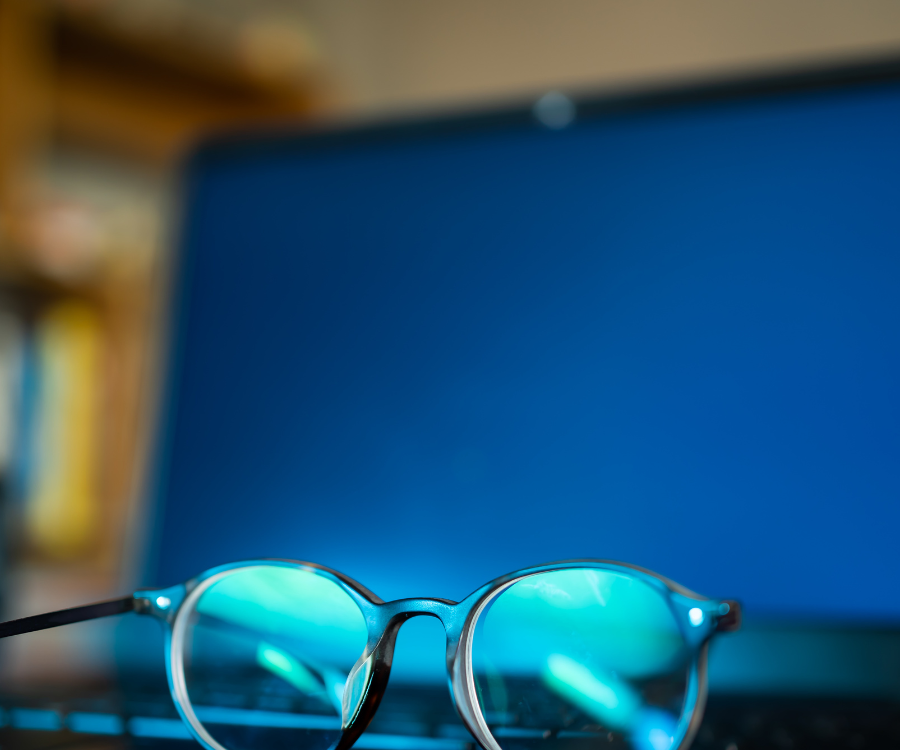
Digital screens emit a type of short-wavelength light known as blue light. While research is still ongoing, excessive blue light exposure is a known contributor to digital eye strain and can disrupt your sleep cycle. Many modern devices have built-in “night mode” or “eye comfort” settings that reduce blue light. You can also purchase blue light filtering glasses or use a screen filter to help minimize its effects.

5. Get Up and Stretch (and Rest Your Eyes!)

Taking a break isn’t just about resting your eyes. After two hours of continuous computer use, give yourself a 15-minute break to get up, walk around, and stretch your body. This not only relieves physical tension in your neck, back, and shoulders, but also gives your eyes a much-needed rest from the screen.

6. Stay Hydrated and Maintain a Healthy Diet

What you put into your body has a direct impact on your eye health. Staying well-hydrated is essential for preventing dry eyes. Additionally, a diet rich in eye-supporting nutrients like Vitamin A (carrots, sweet potatoes), Omega-3 fatty acids (fish), and antioxidants like lutein and zeaxanthin (leafy greens like spinach and kale) can help maintain your vision.

7. Don’t Skip Your Annual Eye Exam

Regular check-ups with an optometrist or ophthalmologist are vital. A professional eye exam can detect any underlying vision problems that may be contributing to your eye strain. If you have uncorrected or improperly corrected vision, a doctor can prescribe computer glasses specifically tailored to the intermediate distance of a computer screen, which can be a game-changer for daily comfort.

Conclusion

Digital eye strain is a real and common problem, but it’s not something you have to live with. By implementing these simple, proactive eye care tips into your daily routine, you can protect your eyes, improve your comfort, and maintain your vision for a lifetime of screen use. Take care of your eyes—they’re the only pair you’ll ever have.
Categories Uncategorized

What You Need to Know About Cataracts

Seeing the World Through a Cloudy Lens? What You Need to Know About Cataracts

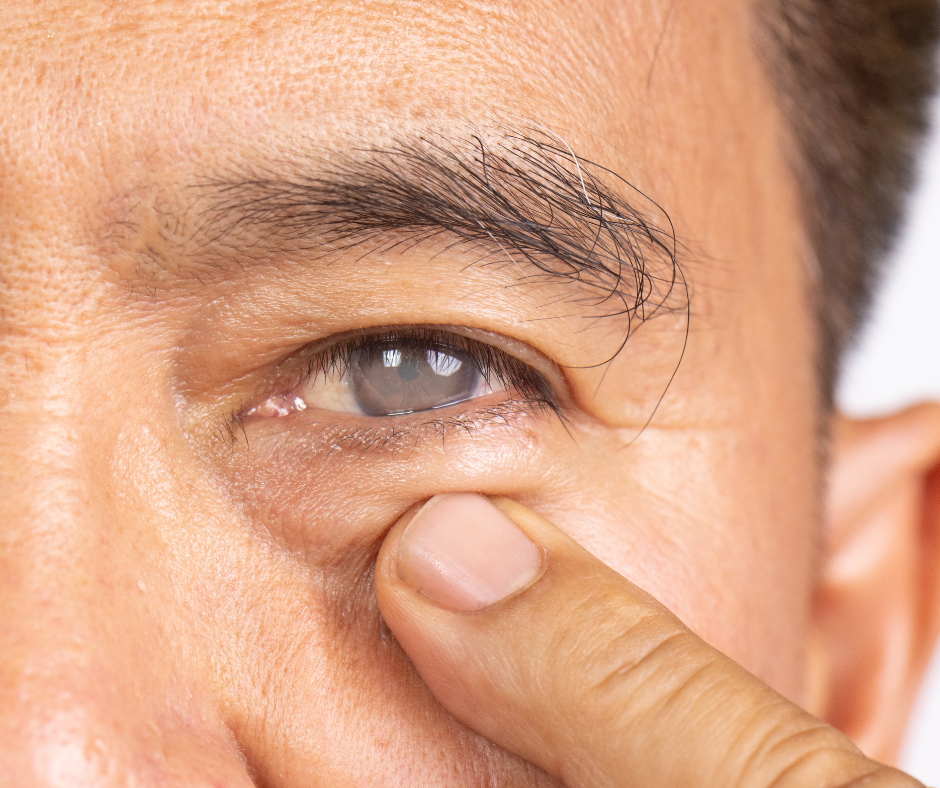
Ever feel like you’re looking at the world through a foggy window? If so, you’re not alone. This blurry vision can be one of the first signs of a common eye condition called cataracts.

Cataracts are the leading cause of vision loss worldwide, and they become more common as we age. But don’t worry, understanding what they are and how to manage them is the first step toward clear vision. This post will walk you through the essentials, from symptoms to treatment, in a human, easy-to-understand way.

What Exactly Are Cataracts?

Think of your eye as a camera. The lens is the part that focuses light onto the retina, which then sends the image to your brain. Normally, this lens is clear. A cataract is simply a cloudy area that forms on the lens of your eye. As the cataract grows, it prevents light from passing through properly, leading to blurred or hazy vision.

Cataracts develop when the proteins in your eye’s lens begin to break down and clump together. While they can affect one or both eyes, they are not contagious and do not spread from one eye to the other.

The Most Common Symptoms of Cataracts

The signs of a developing cataract often start subtly and get worse over time. You might not even notice them at first. As the condition progresses, you may experience:

  • Cloudy or blurry vision: This is the most common symptom. It can feel like you’re looking through a dirty or frosted glass.
  • Fading or yellowing of colors: Colors that once looked vibrant may now seem dull or washed out.
  • Increased sensitivity to light and glare: Bright sunlight, streetlights, or car headlights may appear uncomfortably bright or even painful.
  • Seeing “halos” around lights: This is particularly noticeable at night and can make driving difficult and dangerous.
  • Poor night vision: It becomes harder to see in low-light conditions.
  • Double vision in a single eye: You might see two images of the same object.
  • Frequent changes in your eyeglass or contact lens prescription.

What Causes Cataracts?

While aging is the most common factor, there are other contributing causes and risk factors for cataracts:

  • Age: The natural aging process is the primary reason for cataract development.
  • Excessive UV exposure: Long-term exposure to the sun’s ultraviolet (UV) rays can accelerate cataract formation.
  • Diabetes: People with diabetes are at a higher risk of developing cataracts.
  • Smoking and excessive alcohol consumption: These habits can increase oxidative stress in the eye, damaging the lens.
  • Eye injuries or previous surgeries: Trauma to the eye can sometimes lead to cataracts.
  • Certain medications: Long-term use of corticosteroids can contribute to cataract formation.
  • Genetics: A family history of cataracts can increase your likelihood of developing them.

Can You Prevent Cataracts?

While you can’t always prevent them entirely, you can definitely take proactive steps to reduce your risk and potentially delay their progression:

  • Wear UV-protective sunglasses: Choose a pair that blocks 100% of UVA and UVB rays.
  • Eat a healthy, antioxidant-rich diet: Foods with high levels of vitamins C and E, as well as lutein and zeaxanthin (found in leafy greens), can help protect your eyes.
  • Quit smoking: This is one of the most effective ways to lower your risk.
  • Manage underlying health conditions: If you have diabetes or high blood pressure, keeping them under control is vital for your eye health.
  • Get regular eye exams: Routine check-ups can detect cataracts in their early stages, allowing for timely treatment and management.

The Good News: Cataract Treatment and Surgery

When cataracts begin to interfere with your daily life—making it difficult to drive, read, or enjoy hobbies—it’s time to talk to an eye care professional about treatment. The only proven, effective treatment for cataracts is cataract surgery.

Cataract surgery is one of the most common and successful surgical procedures performed today. It’s a quick, outpatient procedure where a surgeon removes the cloudy natural lens and replaces it with a new, clear, artificial lens (called an intraocular lens or IOL). The results are often life-changing, restoring clear, vibrant vision for the vast majority of patients.

Don’t let blurry vision hold you back. If you’re experiencing any of the symptoms of cataracts, schedule a comprehensive eye exam with your doctor. Taking care of your eyes is one of the best investments you can make for your long-term health and quality of life.

Categories Uncategorized

Blue light isn’t just from screens

The Real Story of Blue Light: Why Your Eyes Feel Tired After a Long Day at the Computer

We’ve all heard the warnings about blue light from our screens. We’re told it disrupts our sleep and hurts our eyes. But what if the biggest source of blue light isn’t your phone or laptop at all? The truth is, the sun is a far more powerful source of blue light than any of our devices.

So, should we stop worrying about blue light from screens? Not entirely.

The sun’s blue light is a natural and essential part of our daily rhythm. It helps regulate our sleep-wake cycle, boosting our mood and alertness during the day. However, our eyes have evolved to handle this light outdoors, where it’s typically scattered and balanced by other colors in the visible spectrum.

The blue light from our devices, on the other hand, presents a different kind of challenge. While the amount of blue light from a screen is relatively small, the way we use these devices is what causes problems. Think about it: we hold our phones just inches from our faces, and we stare intently at our computers for hours on end without a break. This intense, up-close exposure can lead to a condition known as digital eye strain.

What is Digital Eye Strain?

Digital eye strain isn’t just about blue light; it’s a combination of factors related to how we use our devices. When we focus on a screen, we tend to blink less frequently, which can cause our eyes to become dry and irritated. The small, pixelated text and constant changes in brightness and contrast also force our eyes to work harder to focus.

Common symptoms of digital eye strain include:

  • Dry, itchy, or watery eyes
  • Blurred vision
  • Headaches
  • Neck and shoulder pain
  • Difficulty focusing

How to Protect Your Eyes from Digital Eye Strain

The good news is that you don’t need to quit your screen time cold turkey. There are simple, effective ways to reduce the impact of digital eye strain and keep your eyes feeling comfortable.

  • Follow the 20-20-20 Rule: Every 20 minutes, look at something 20 feet away for at least 20 seconds. This simple practice gives your eyes a much-needed break from focusing up close.
  • Adjust Your Screen Settings: Reduce your screen’s brightness to match the lighting in your room. Consider using dark mode or adjusting the color temperature to a warmer setting, especially in the evening.
  • Maintain a Good Posture: Position your screen about an arm’s length away and slightly below eye level. This helps reduce neck and shoulder strain.
  • Stay Hydrated and Blink Often: Make a conscious effort to blink regularly. Using lubricating eye drops can also help if your eyes feel particularly dry.

In conclusion, while the sun is the true powerhouse of blue light, it’s our habits with digital devices that are often the culprit behind tired, strained eyes. By understanding the real cause and adopting healthy practices, you can enjoy your screen time without the discomfort of digital eye strain.

Categories Uncategorized

Back-to-School Eye Check: Why It Matters

As the back-to-school rush begins, most parents focus on school uniforms, stationery, and lunchboxes. But there’s one essential item often left off the checklist—an eye exam. Vision plays a key role in a child’s learning and development, and an annual eye check can make a big difference in their academic success and overall well-being.

👁️ Why Vision is Crucial for Learning

It’s estimated that up to 80% of learning in a classroom is visual. From reading the board to using a tablet, completing assignments, or copying notes, a child’s eyes are constantly at work. If they have an undetected vision problem, it could lead to struggles with reading, concentration, or even behavioural issues.

Unfortunately, children often don’t realize they have a vision problem—they assume everyone sees the way they do. That’s why early detection through a professional eye exam is so important.


🧒 Common Signs of Vision Problems in Children

Even if your child hasn’t complained about their vision, look out for these subtle signs:

  • Squinting or tilting their head
  • Sitting too close to the TV or holding books very near
  • Complaining of headaches or tired eyes
  • Difficulty concentrating in class
  • Rubbing their eyes frequently
  • Avoiding reading or other close-up work

These can all be clues that your child might be struggling to see clearly.


🎓 The Impact of Clear Vision on Academic Performance

Clear vision boosts a child’s confidence and participation in class. When they can read the board clearly and complete tasks without eye strain, they’re more likely to stay focused and perform well. Children with uncorrected vision problems may fall behind, not due to ability, but simply because they can’t see properly.

An eye test before the school year starts ensures your child is ready to learn and succeed.


👓 What Happens During a Back-to-School Eye Exam?

A comprehensive children’s eye exam is quick and non-invasive. It typically includes:

  • Testing visual sharpness (distance and near)
  • Checking how the eyes work together
  • Assessing depth perception and colour vision
  • Screening for conditions like lazy eye or eye misalignment
  • Prescription for glasses if needed

Even if your child passed a school vision screening, it doesn’t replace a full optometric exam. Screenings often miss key issues that a qualified optometrist can detect.


🗓️ When Should Kids Have Their Eyes Tested?

The general guideline is:

  • First exam at around 6 months old
  • Another at age 3
  • Again before starting Grade 1
  • Then every 1–2 years unless issues are detected

If your child already wears glasses or has a known vision condition, more frequent check-ups may be necessary.


✅ Final Thoughts: Make Eye Health a Priority This School Year

Adding an eye exam to your back-to-school checklist is one of the simplest ways to support your child’s academic journey. Clear vision doesn’t just help with reading and writing—it builds confidence, improves classroom behaviour, and sets the stage for a great year ahead.

Don’t wait for signs of trouble. Book a back-to-school eye check today and give your child the clearest path to success.